|
Browse - Custom |

|

|
|
|
Browse - Custom |
|
|
Browse - Custom
|
Browse - Custom |
|
|
|
|
Browse - Custom |
|
|
The Custom area allows you to execute custom SQL statements against the FB TraceManager 2 database.

Here you can:
| 1. | Load a SQL file |
| 2. | Save your current SQL statement into a file |
| 3. | Open the Visual Query Builder tool to visually define a SQL query |
| 4. | Execute the SQL statement and inspect the result set in the Result tab |
Of course, you can enter a SQL statement by hand, but the included Visual Query Builder enables you to visually define a query.
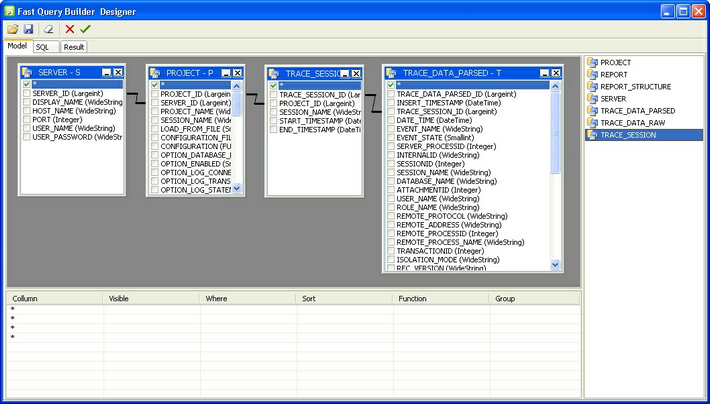
This is especially useful, as long as you aren't familiar with the underlaying physical data model (table names, relationships, field names, ...) of the FB TraceManager 2 database.
What's next: Learn more about the reporting capabilities in Standard Edition and Enterprise Edition in the following section Reports.
See also