|
Reports - Basics |

|

|
|
|
Reports - Basics |
|
|
Reports - Basics
|
Reports - Basics |
|
|
|
|
Reports - Basics |
|
|
Reports can be managed in a freely definable hierarchical tree structure including two type of nodes:
| 1. | Folder |
| 2. | Report |
The following screen shows the Reports module with a pre-installed one report folder structure.
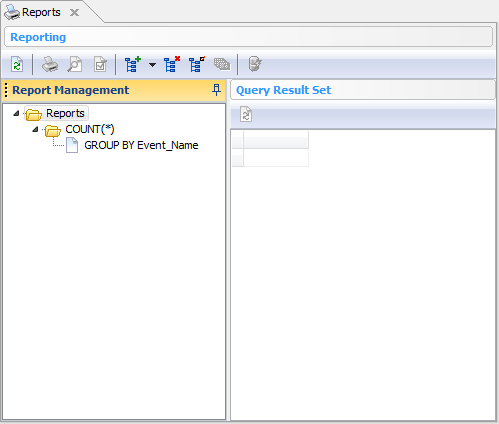
The toolbar allows you to execute the following actions, depending on the currently selected node type:
| 1. | Refresh the tree node structure |
| 2. | Print the selected report |
| 3. | Preview the selected report |
| 4. | Design the selected report |
| 5. | Add a new report/folder node |
| 6. | Delete the selected report/folder node |
| 7. | Edit the selected report/folder node (F2) |
| 8. | Duplicate the selected report/folder node |
| 9. | Execute SQL query stored along the selected report node. The result set will be shown in the Query Result Set area |
You can also drag&drop both type of nodes including their child nodes around.
What's next: How to register a new report is discussed in the next section Register Report.
See also