Database Design: Logical and Physical Modeling
Database Workbench includes a diagramming tool that supports both Logical Data Modeling and Physical Data Modeling.
With the Database Designer you can easily create your database design and relationships using drag and drop, avoiding writing complex code.
- visually design your database and relationships
- use conceptual Logical Data Modeling or direct Physical Data Modeling
- use sub-diagrams, coloring and object grouping for clarity
- reverse engineer your existing database into a diagram
- document your database or use the exported diagrams in your existing documentation
Logical Data Modeling
A Conceptual Model (CDM) is database system agnostic, logical model and applies to business rules without going into the underlying physical representation in a database, while a Physical Data Model (PDM) is the exact model for a database. From a CDM you can generate a PDM for a given database system including any database system specific data types or database objects like "domains".
- Use domain object to capture business logic
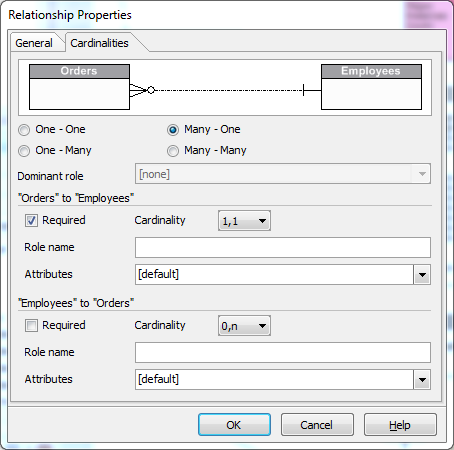
- Create entities and complex relationships
- Generate a physical data model for your database
After creating a conceptual data model, you can generate a physical model. The Database Designer will generate (intermediate) tables and foreign key constraints.
Physical Data Modeling
You can generate a Physical Data Model from the logical model, or create a physical model manully.
A physical model has foreign keys for table relationships to implement business logic and uses the database specific data types.
Reverse Engineering
With the Database Designer you can reverse engineer an existing database into a diagram. This will create a physical model and visualize your database.
The new diagram will display tables and relationships and can be used for documentation purposes.
- Create a diagram from a database with just a few mouse clicks
- Use the diagram in your documentation
Create subdiagrams for extra clarity and use these in documentation or print the diagram to help you during database development.