From the Enterprise Manager, you have access to all functionality related to Sybase Anywhere.
In the Servers treeview, expand the registered server. This will show the following tree nodes:
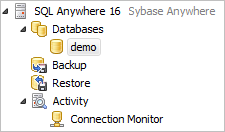
An expanded Sybase Anywhere server
Databases
This node lists all the available databases on the server. Double clicking a database will connect and open a Database Navigator window.
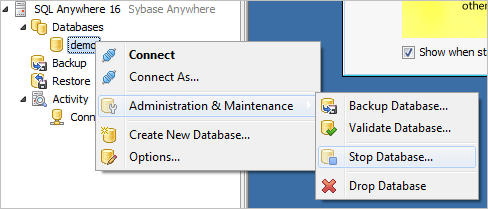
Context click on a database
The context menu for a database also gives you more possibilities:
•Connect
•Drop Database
Backup
This node lists the different backup projects available for this server.
Server Administration
Under this node, you can find several items to administer and monitor your Sybase Anywhere server.
For more information, see: