The Server Side Objects Wizard of Database Workbench allows you to create the required objects for additional functionality in Database Workbench to be used with your Oracle server.
Currently, the only feature that requires a server side object, is the Plan Analysis in the SQL Editor.
If you don't choose to run the Wizard after you've registered the server, you can also reach it via the context menu on a registered Oracle server.
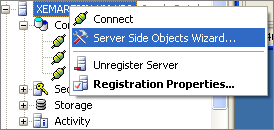
Oracle Server Context Menu
You can use the wizard to do 3 things:
•Create the server side objects
•Remove the server side objects
•Create a script to create the server side objects
The resulting objects will be installed in their own schema, named "DBW" (short for Database Workbench).
 |
| Starting page of the Server Side Object Wizard |
Installing, upgrading or removing objects
Installing, upgrading or removing requires that you enter authentication details for a user with the following privileges:
•create any user
•drop user
•create any table
•select, insert, update, delete any table
•grant any privilege
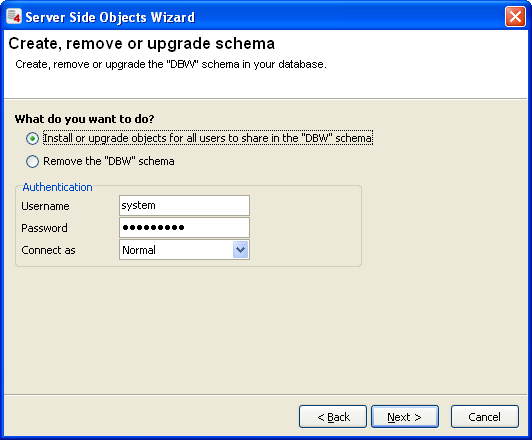 |
| Authentication Page of the Server Side Object Wizard |
After entering the correct authentication details and selecting either Install or upgrade or the Remove option, proceed to the last page.
The last page will show the progress for the selection action.
Creating a Script for the Server Side Objects
Select the second option in the Wizard and go to the next page.
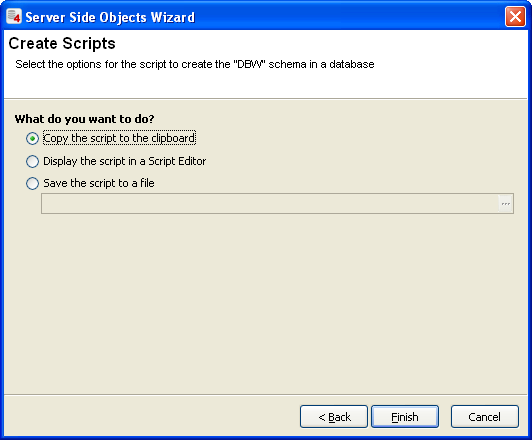 |
| Create Script Page of the Server Side Object Wizard |
On the Create Scripts page, you have 3 choices on where the generated script should end up. Using the Finish button will create the script and use the target you selected. You can use this script to create the server side objects that Database Workbench uses on multiple servers.